FeatureSummary
Ten minutes, a month of days.
An appointment is short and memory is kind to good weeks. The summary turns your log into a few clean pages: how often, how bad, what you took, where it was. Hand it over and spend the time talking.

- Summary for your doctor
- A PDF, ready to share
- Day by day
- Every symptom on one shared timeline
- Made on your iPhone
- Nothing leaves it until you share
- Free
- The last 30 days, any time
01The pages
Symptoms · treatments · how you were
The month at a glance, then the numbers.
Each symptom gets a row of days on one shared calendar, coloured by how bad each day was, so a doctor sees in a second whether it is daily, weekly or getting worse. Make one from Settings › Summary.
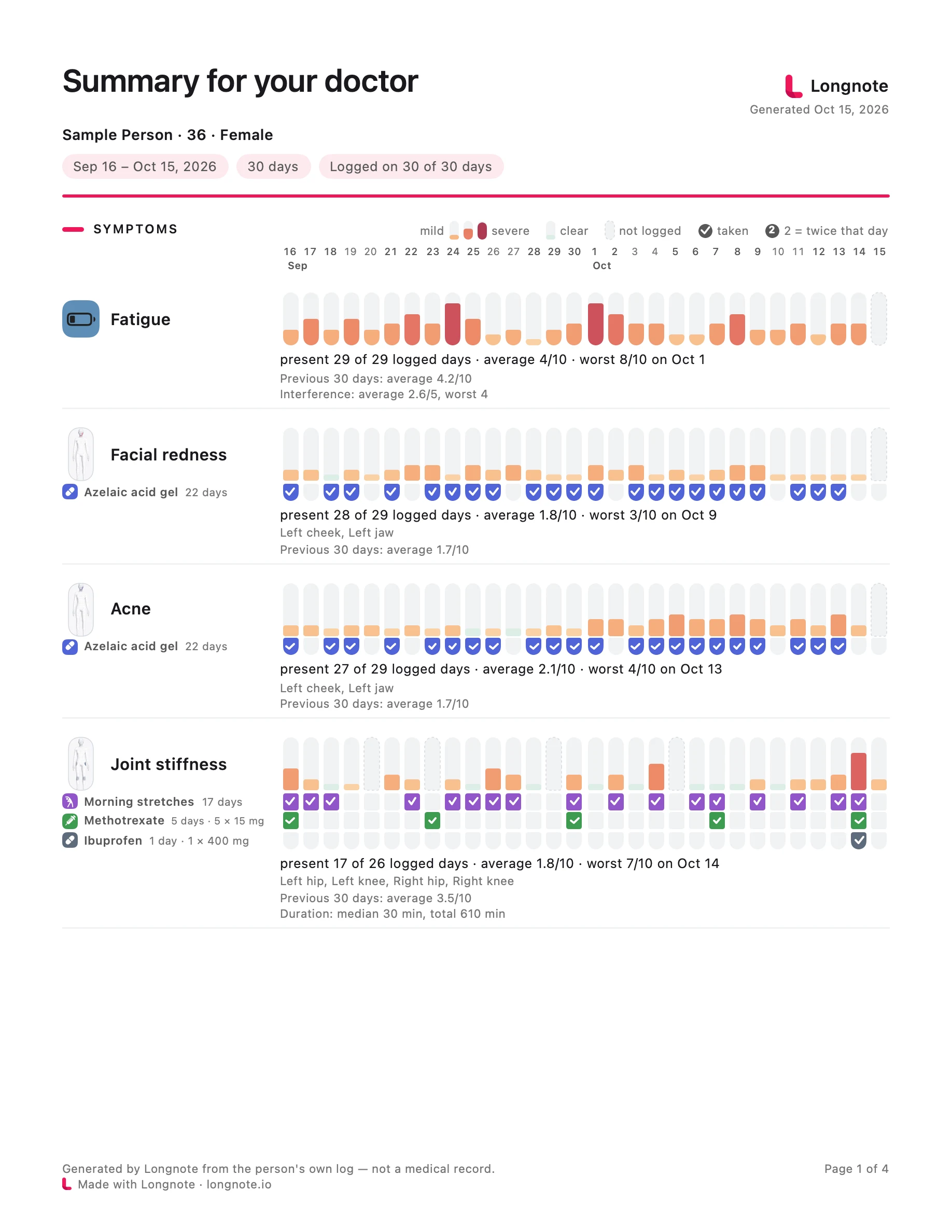
- 01A header with the period and how many of its days you logged, so a gap reads as a gap and not as a good week.
- 02Under each symptom: on how many logged days it was there, its average, its worst day with the date, and the average of the period before.
- 03Treatments linked to a symptom sit right under it as ticks, so “better since the new dose” is visible, not argued.
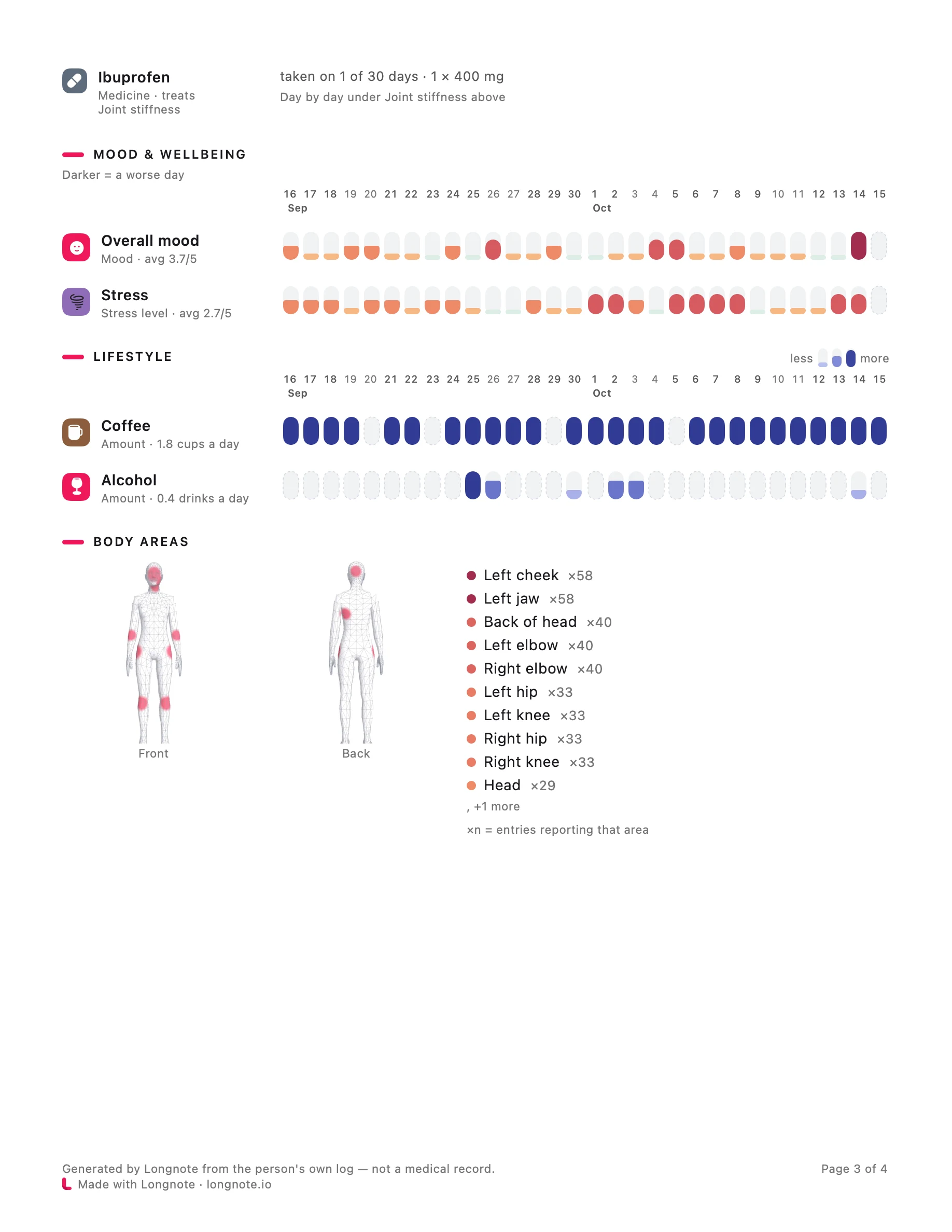
- 04Mood and lifestyle as strips of their own, and a list of the treatments with how often each was taken.
02Where, and what it looked like
Body areas · photos · notes
The body and the photos come along.
The areas you marked are drawn on a front and a back figure with how many entries each had. Photos you took with entries follow, dated and named.
- 01Up to twelve photos, each with its date and tracker.
- 02Up to three observations from your log, each with the days it is based on, and the reminder that an association is not a cause.
- 03Your notes only if you switch them on: up to four, from the worst days, “in their own words”.
- 04Optional deep-dive pages, one per symptom you choose.
03Your choice
What goes in, what stays out
Leave out anything you’d rather not share.
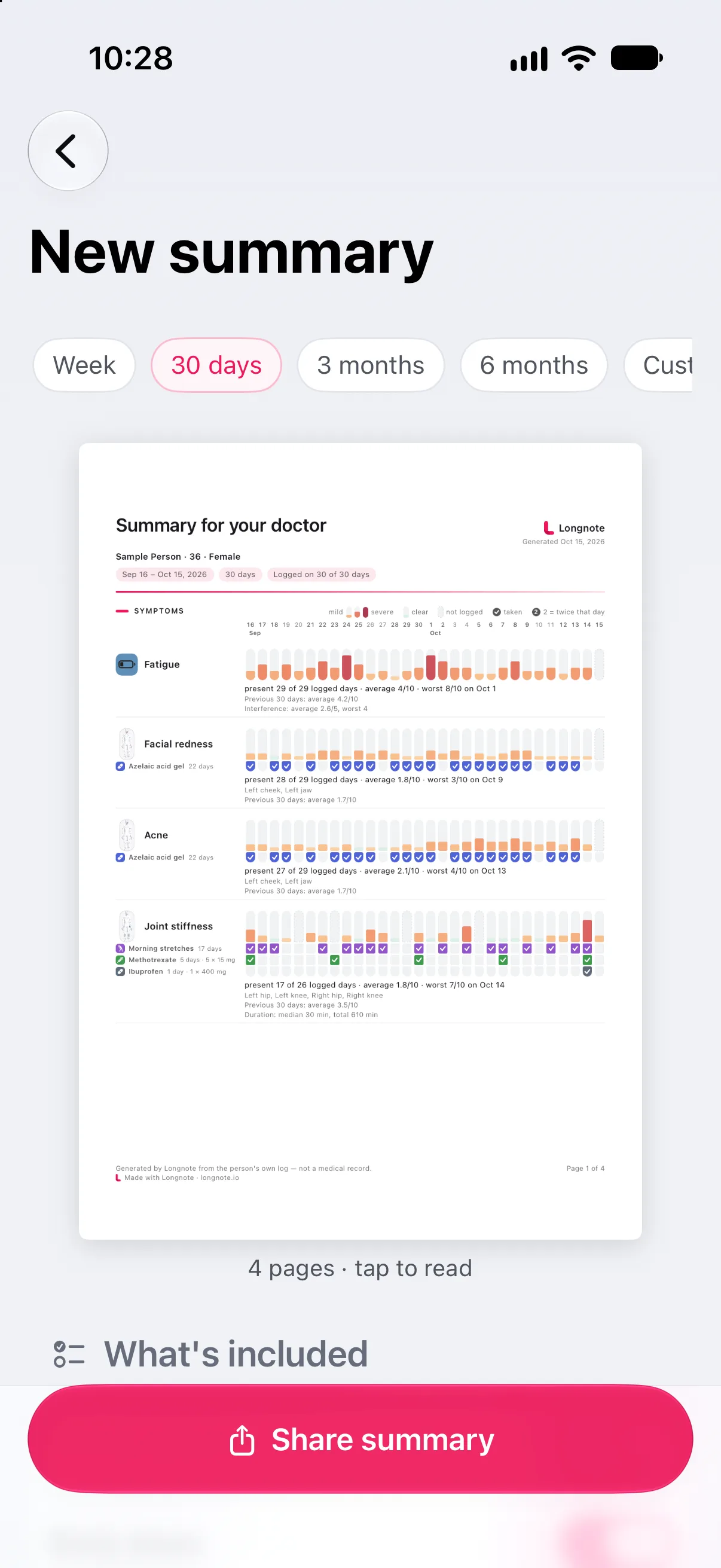
Before it is made, one screen shows the page as it will look and a switch for each part: your name, age and sex, body areas, observations, notes and photos. It remembers your choices for next time.
Free
The last 30 days, with every switch. A preset period moves with today, so next month’s summary is the same two taps.
Pro
A week, three or six months, or your own dates; choosing which trackers go in; and leaving the Longnote mark off the pages.
Paper
A4, or US Letter in the US, so it prints the way the practice expects.
04Share it
PDF · on your terms
Made here. Sent only when you send it.
The summary is made on your iPhone from your log. Nothing leaves it until you share the PDF, the way you share any file: Mail, Messages, AirDrop, a patient portal.
Leave a page out before you share, and the rest is renumbered.
Save a summary to Earlier summaries to send it again. Reading or sharing one keeps no copy.
Every page says so at the foot: Generated by Longnote from the person’s own log — not a medical record.
05Read next
Guides
More on the appointment itself.
06Explore more
Features
The rest of the note.
-
 Body atlas where it hurts Mark the exact spot, watch it move over months.
 -
 Quick log in seconds Hold the plus, slide, let go. No sheet on a bad day.
 -
 Journal and the weather Every day on one page, with pressure drops flagged.
 -
 Patterns that say how sure Observations, early signs and patterns, graded honestly.
Bring the month, not a memory.
Free to download, free to keep. The 30-day summary is free, and it is made on your iPhone.