FeatureBody atlas
Pain has a place. Keep it.
Pain radiates, switches sides and turns up somewhere new. Longnote keeps the place as carefully as the number: a 3-D body you mark as exactly as it hurts, painted in each tracker’s colour, remembered over months.
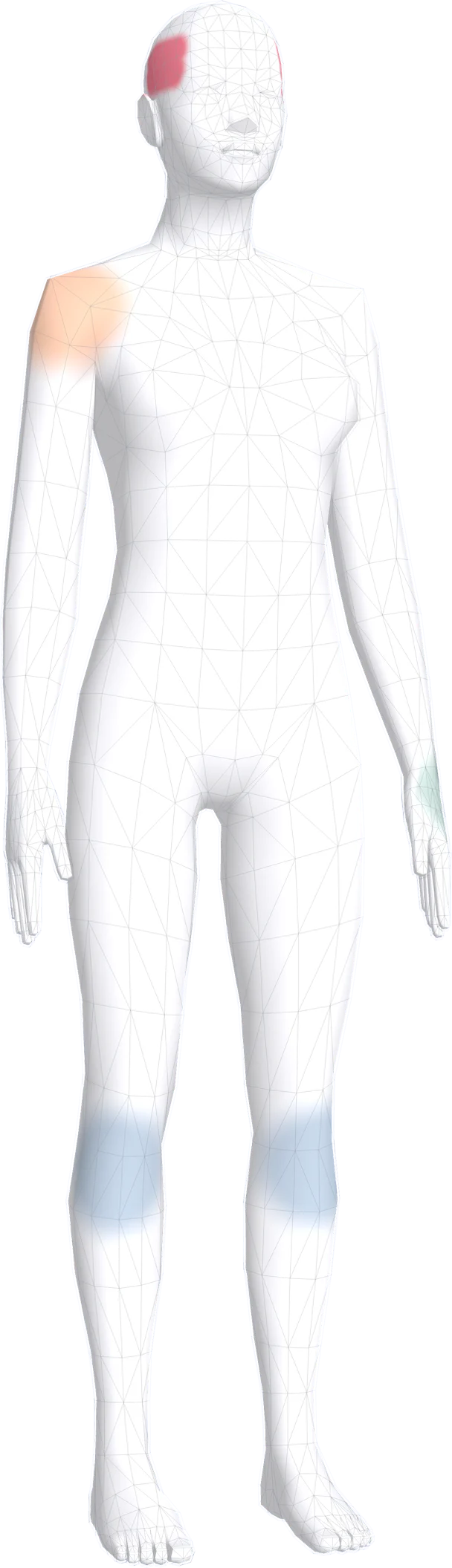
- 16 regions, 128 named parts
- From temples and jaw to heel and toes
- Several spots per area
- Move, remove or undo any of them
- 7, 30 or 90 days back
- Day by day, or all at once
- Free
- The whole atlas, with no Pro needed
01Place it
Tap · dot · brush
As exact as the pain is. As quick as you need.
“Somewhere in the knee” and “a coin-sized spot behind the left knee” are different notes. Pick the region in one tap on a bad day, or take a moment and mark the precise place.
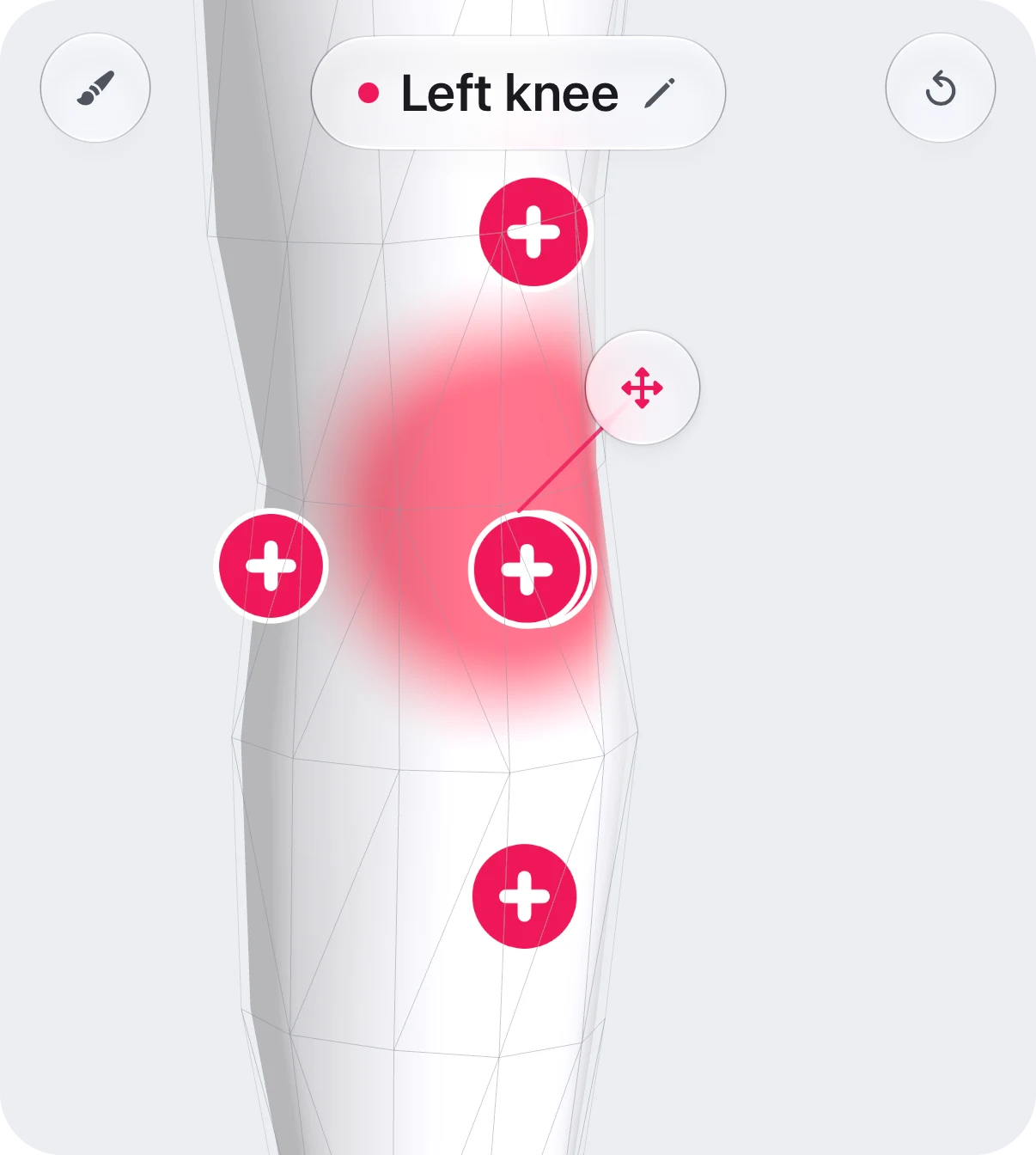
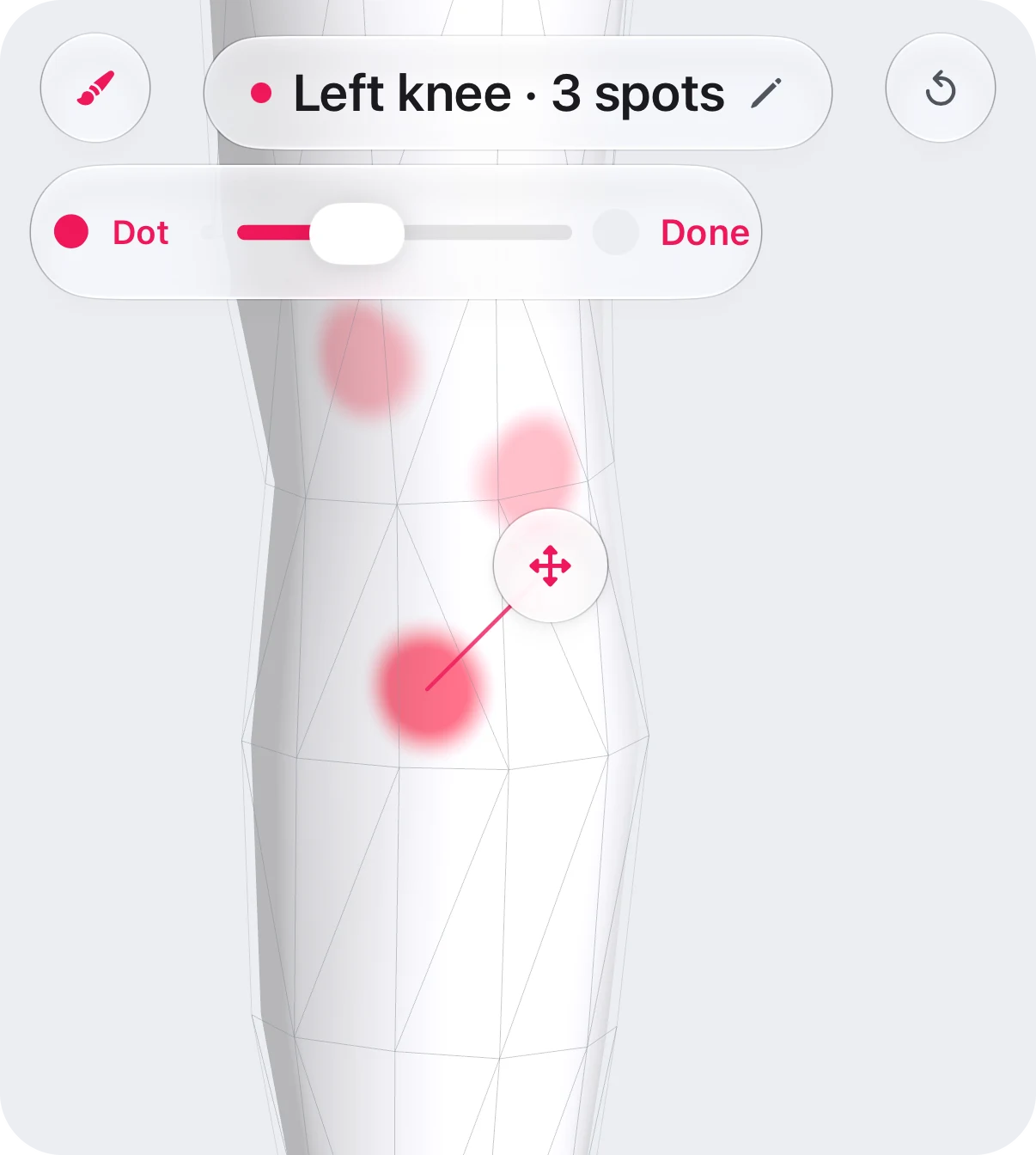
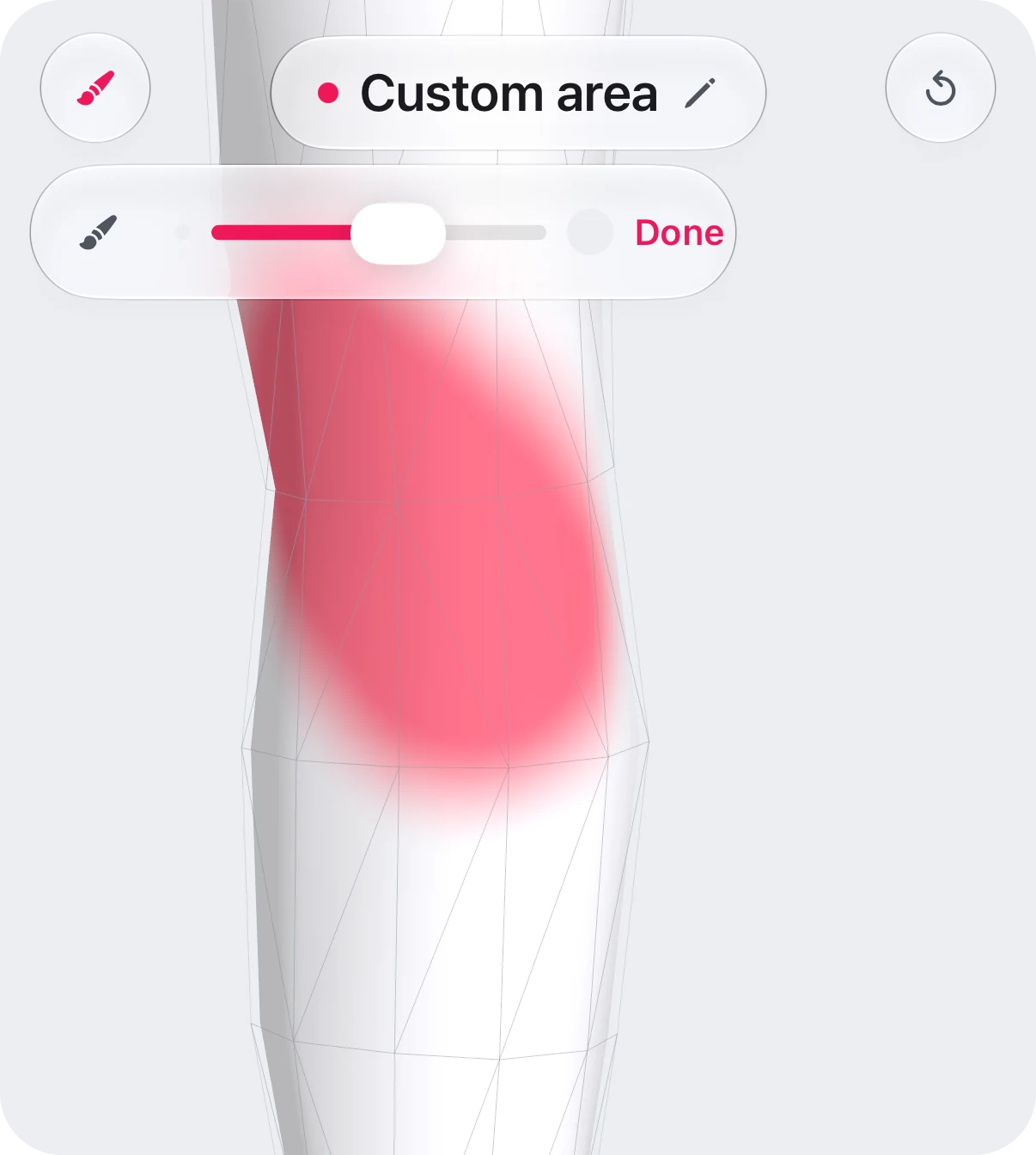
- 01Mark several spots in one area, then select any of them to move or remove it. Undo steps back through your changes.
- 02Tap among tightly packed parts, on the face, a hand or a foot, and the body zooms in so you hit the one you mean.
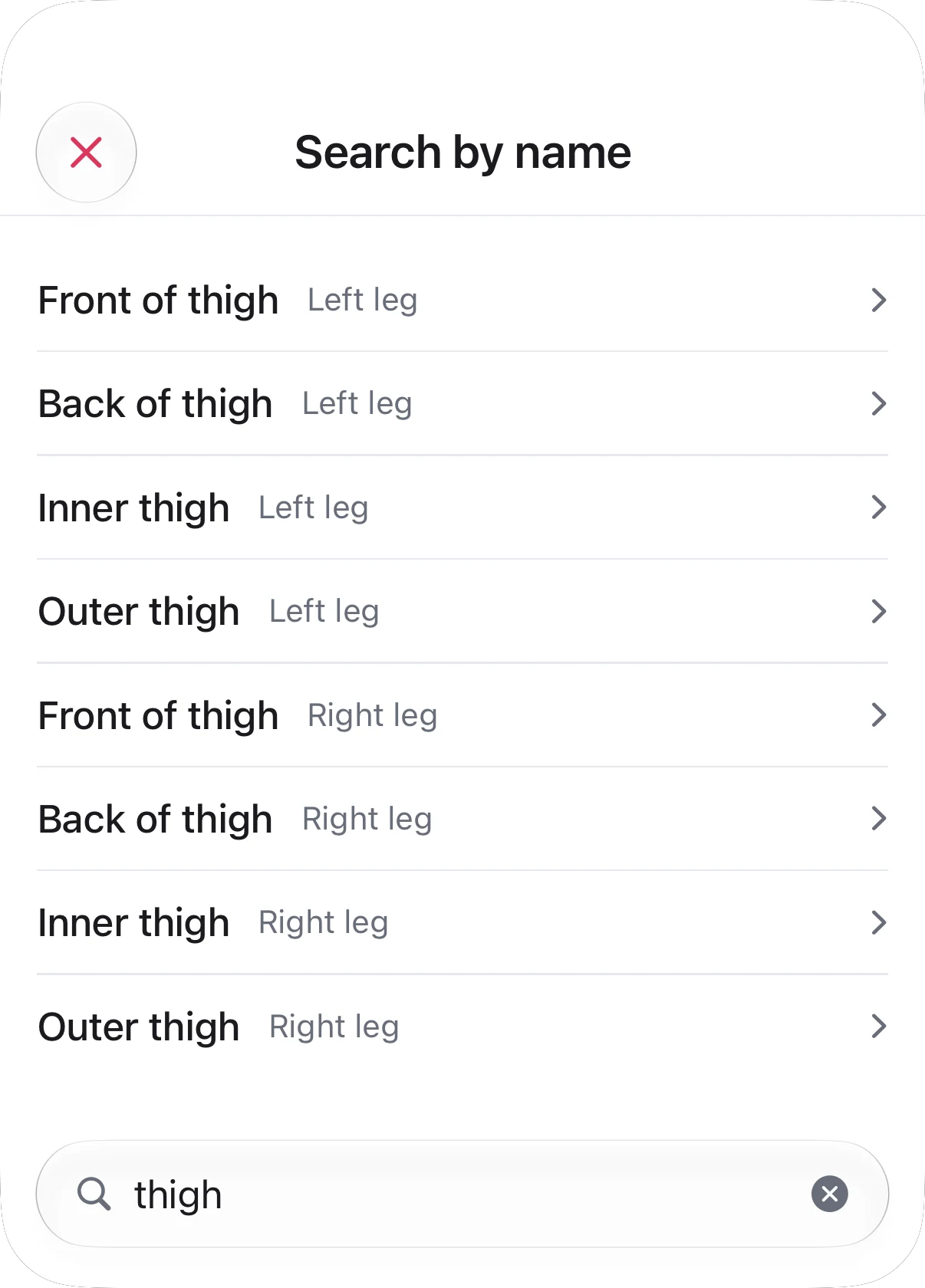
- 03Search by name instead: “left temple”, “heel”, “base of skull”. Your five most recent picks are one tap away.
- 04A tracker remembers its areas, so the next entry opens with them already marked.
02Read it
Colour is never asked to mean two things
Colour says whose. Strength says how bad.
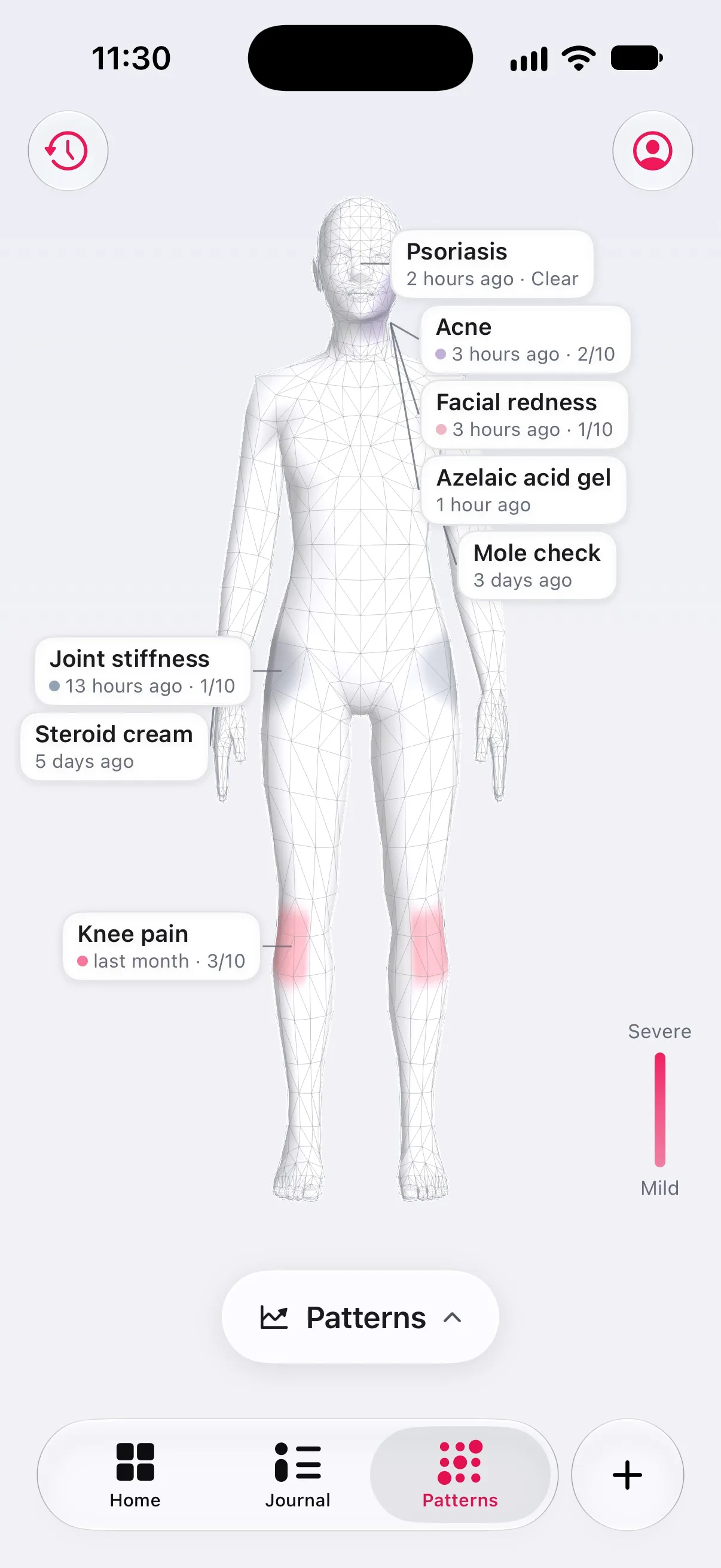
No traffic light. Every tracker paints in its own colour, and the strength of that colour is the severity: faint for mild, near-solid for severe. A day with an explicit “clear” is grey, so it never looks like a day you skipped.
Severity as strength
- 01Open the atlas on its own and every tracker’s latest reading is on the body, with a chip that says how long ago: “2 hours ago · 6/10”.
- 02Where two trackers share a spot, the worse one shows, in its own colour.
- 03Tap a chip to open that tracker’s overview: its chart, its cards, its history.
03Look back
7 days · 30 days · 3 months
Watch it move over weeks, not just today.
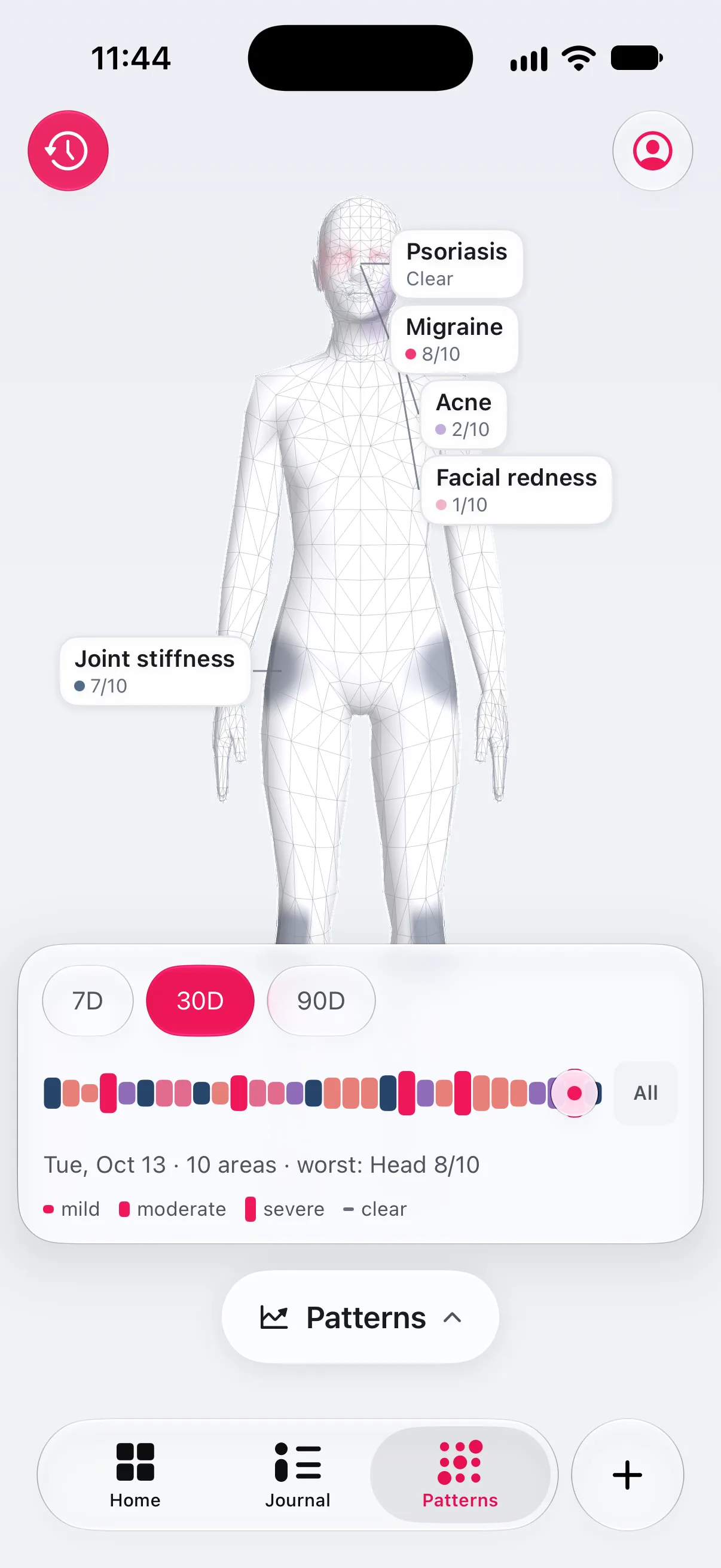
History turns the atlas into a timeline. Each day is one bar: its colour is the day’s worst tracker, its length the worst reading. Drag across the days and the body repaints to each one.
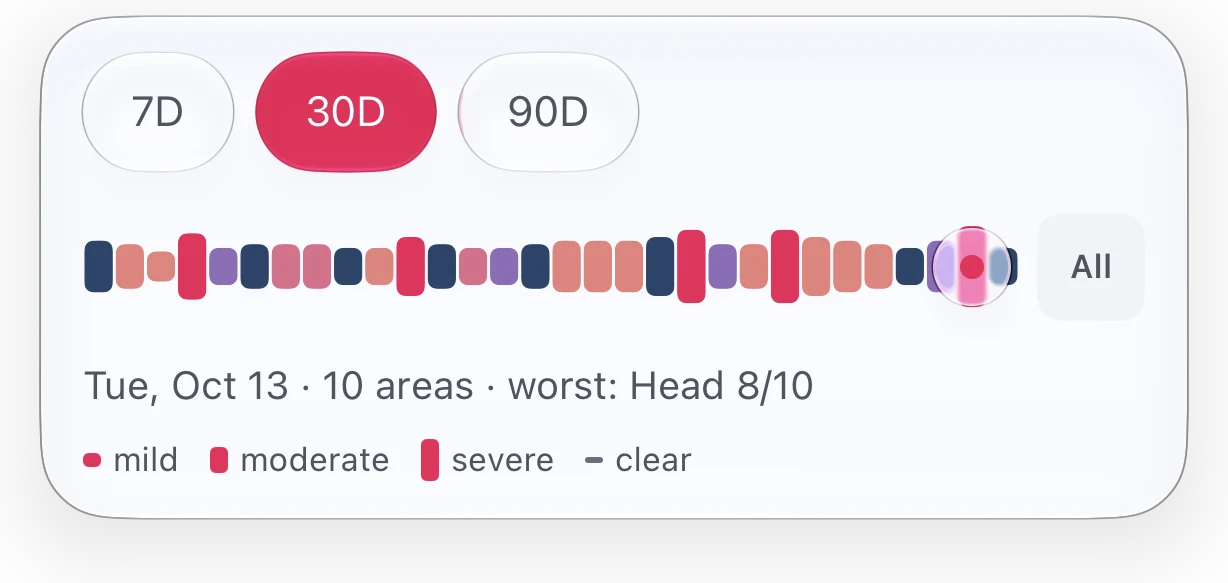
A day
Pin a day and the body shows each tracker’s worst moment that day, not an average that never happened.
All of it
Tap All and the range collapses into one picture: colour for how bad it was on the days it was there, opacity for how often.
Free
All three ranges, at no cost. Your history is part of your record.
04Photos
Filed by place, dated
A photo belongs to the place it shows.
A rash, a swelling, a mole you are keeping an eye on. Photos taken with an entry are kept with the area, so the atlas shows the newest ones under the body, each with its date.
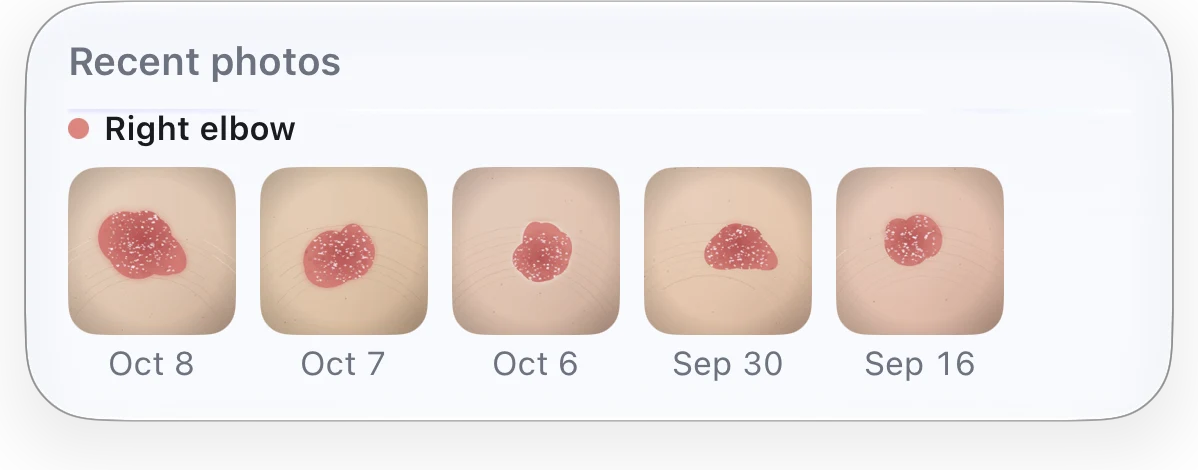
- 01The five newest photos for each tracker and area, dated.
- 02Tap one to open that area’s whole album.
- 03Taking and viewing photos is free. Side-by-side comparison and alignment are Pro.
05Everywhere
Home · Overview
See where before you read what.
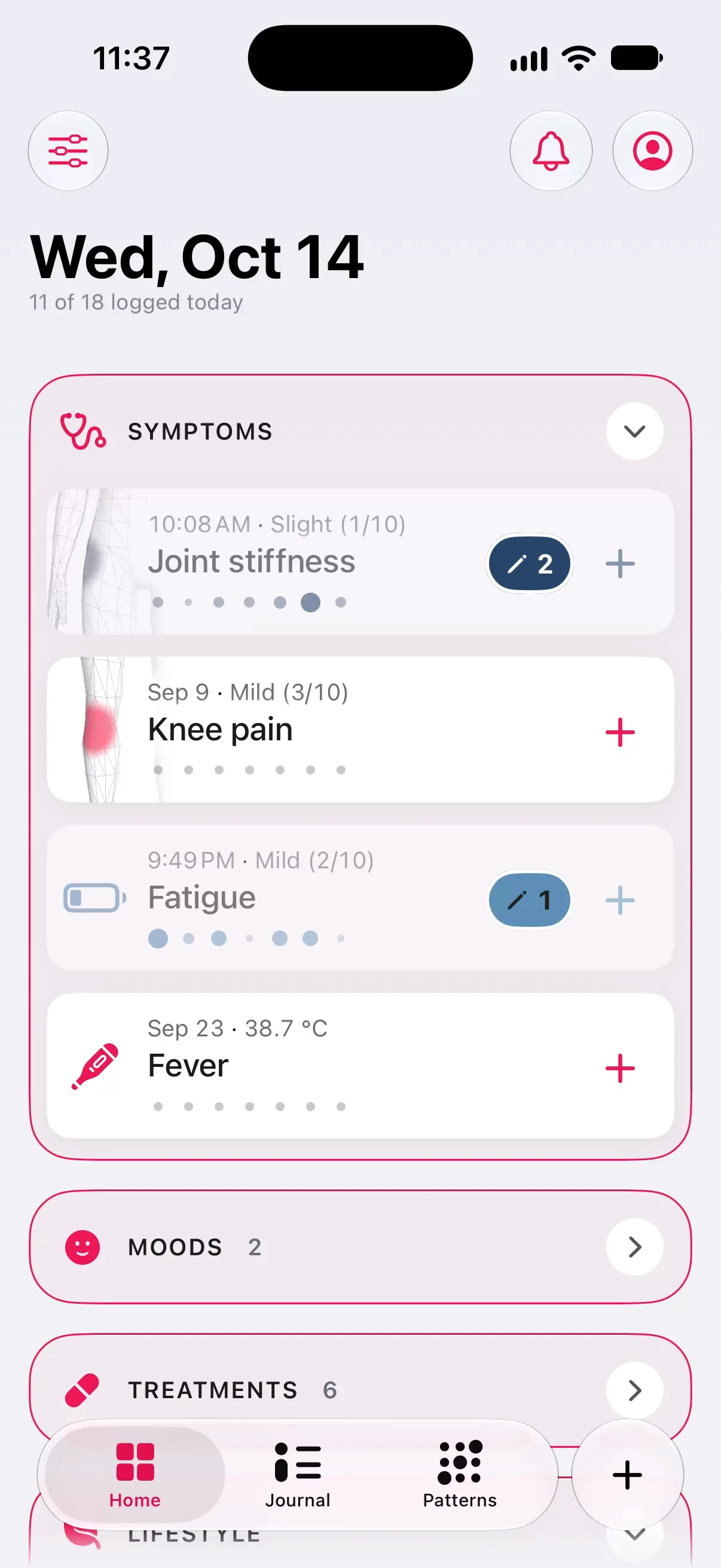
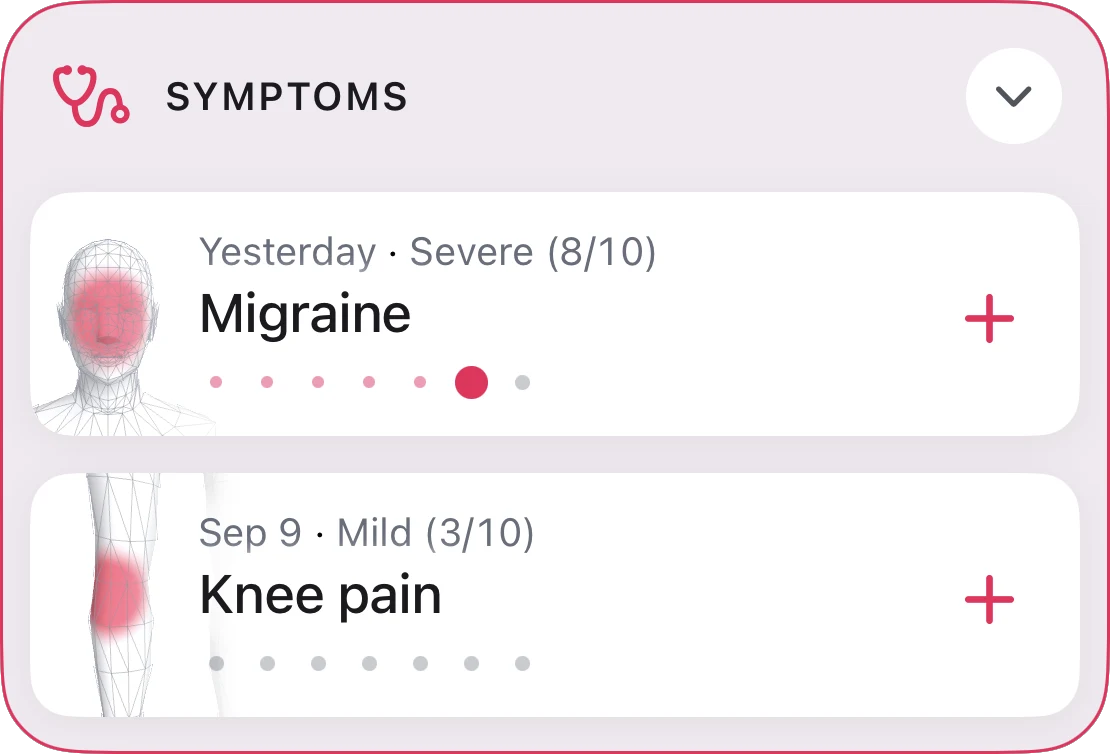
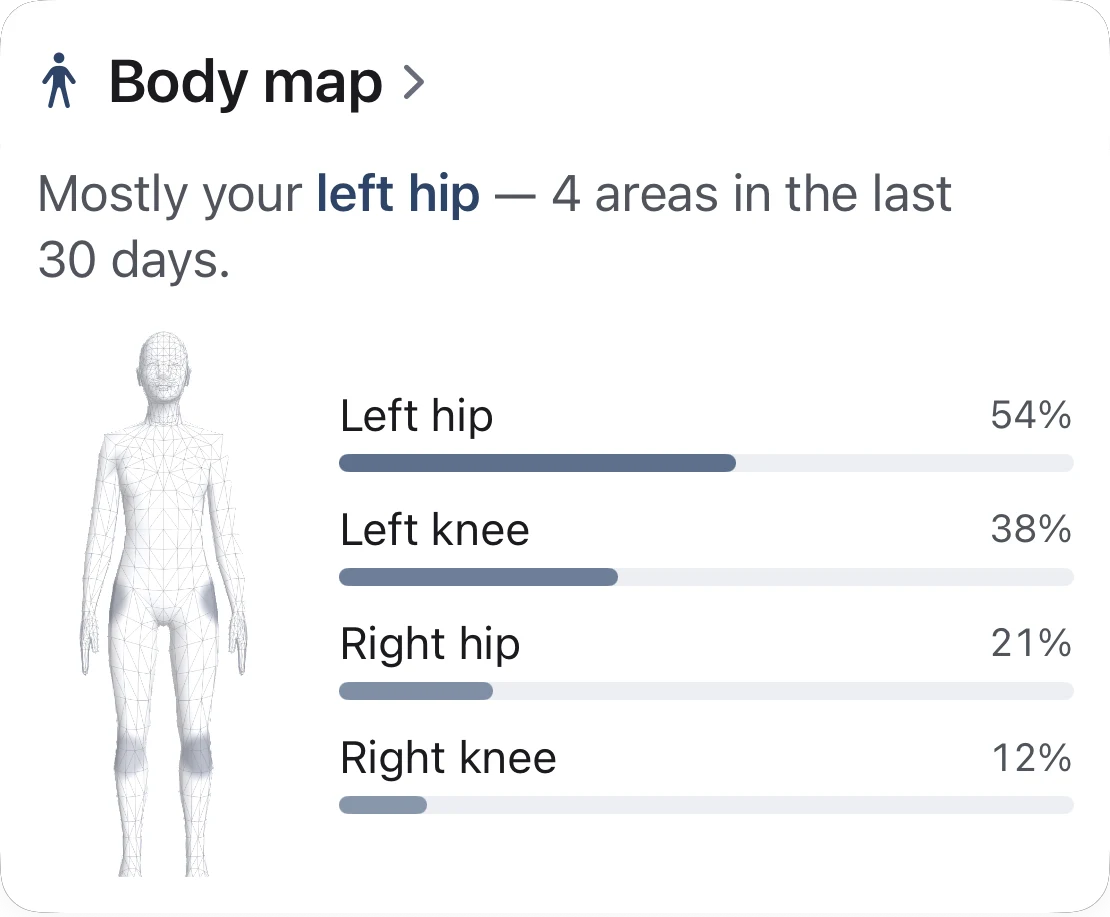
The body is not a screen you visit. It travels with each symptom: on its card on Home, and on its overview, where the Body map card (one of the More insights cards) ranks where it has shown up.
06For every hand
VoiceOver · no precise touch needed
You don’t need a steady finger to say where.
On the days that hurt most, precise touch is hard. Every area can be reached by name, by list or with VoiceOver, without touching the body at all.
Region chips name every region; a search sheet lists every part, and each region has an “All of …” row when the whole area hurts.
The day scrubber is an adjustable control. In All, VoiceOver reads the worst areas: Knee, severe on average, 12 of 30 days.
Choose the female or male body under Settings → Appearance. It is used everywhere you place and review an area. Free.
07Read next
Guides · Support
More on describing where it hurts.
08Explore more
Features
The rest of the note.
-
 Quick log in seconds Hold the plus, slide, let go. No sheet on a bad day.
 -
 Journal and the weather Every day on one page, with pressure drops flagged.
 -
 Patterns that say how sure Observations, early signs and patterns, graded honestly.
 -
 Summary for your doctor Your log as a few clean pages for the appointment.
Start with where it hurts today.
Free to download, free to keep. The whole atlas is free, and everything you mark stays on your iPhone.